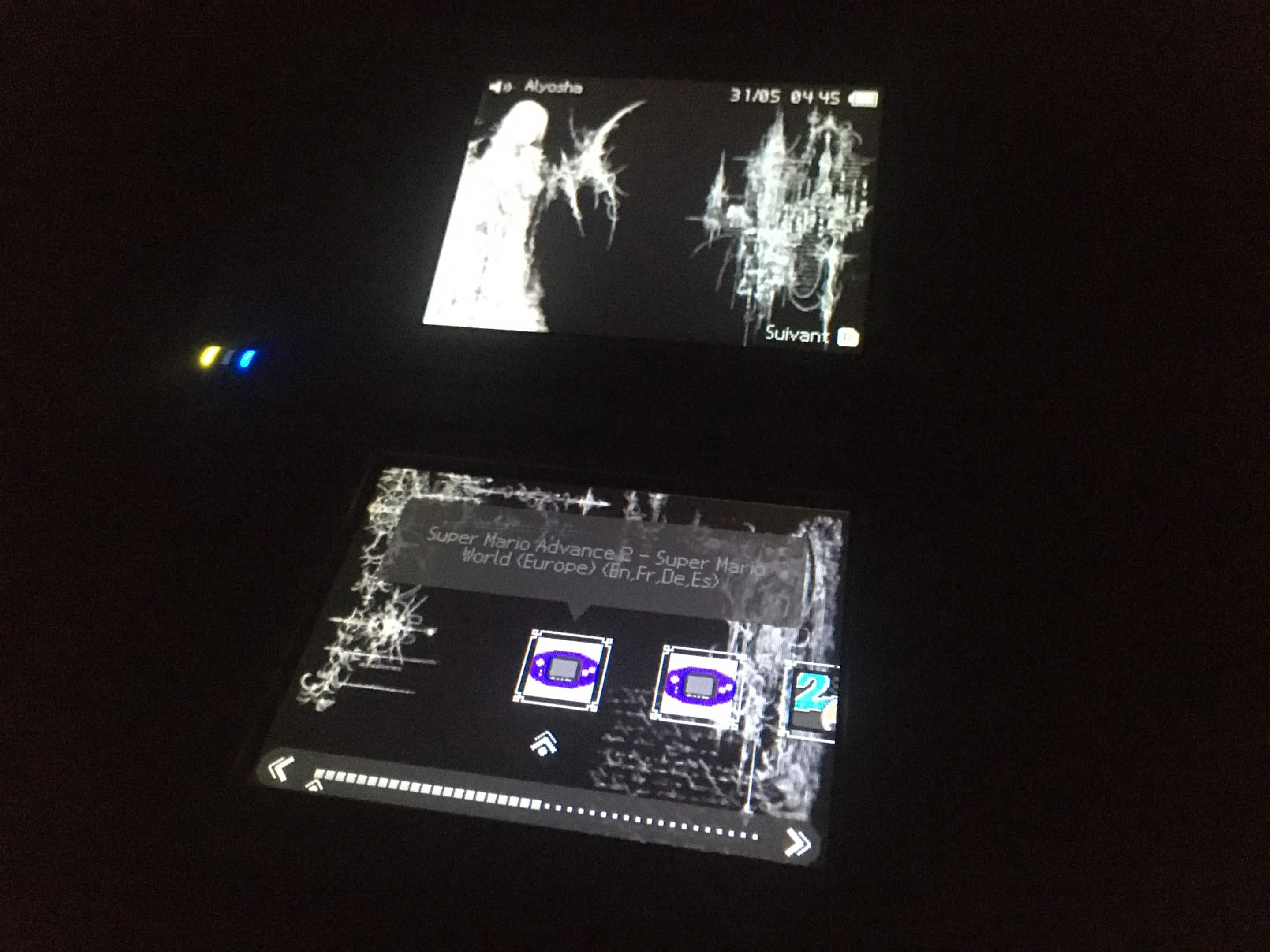
What a horrible phone camera I have lol
Download here.
To install the theme just unzip the file and drag the folder to:
/_nds/TWightMenu/dsimenu/themes/
The background music of the theme is Scriabin’s Op. 16 No. 1.
(you can change it if you want. Check this. It took me a long time to chose that piece tho)
What if fucked up or it doesn't looks as intended:
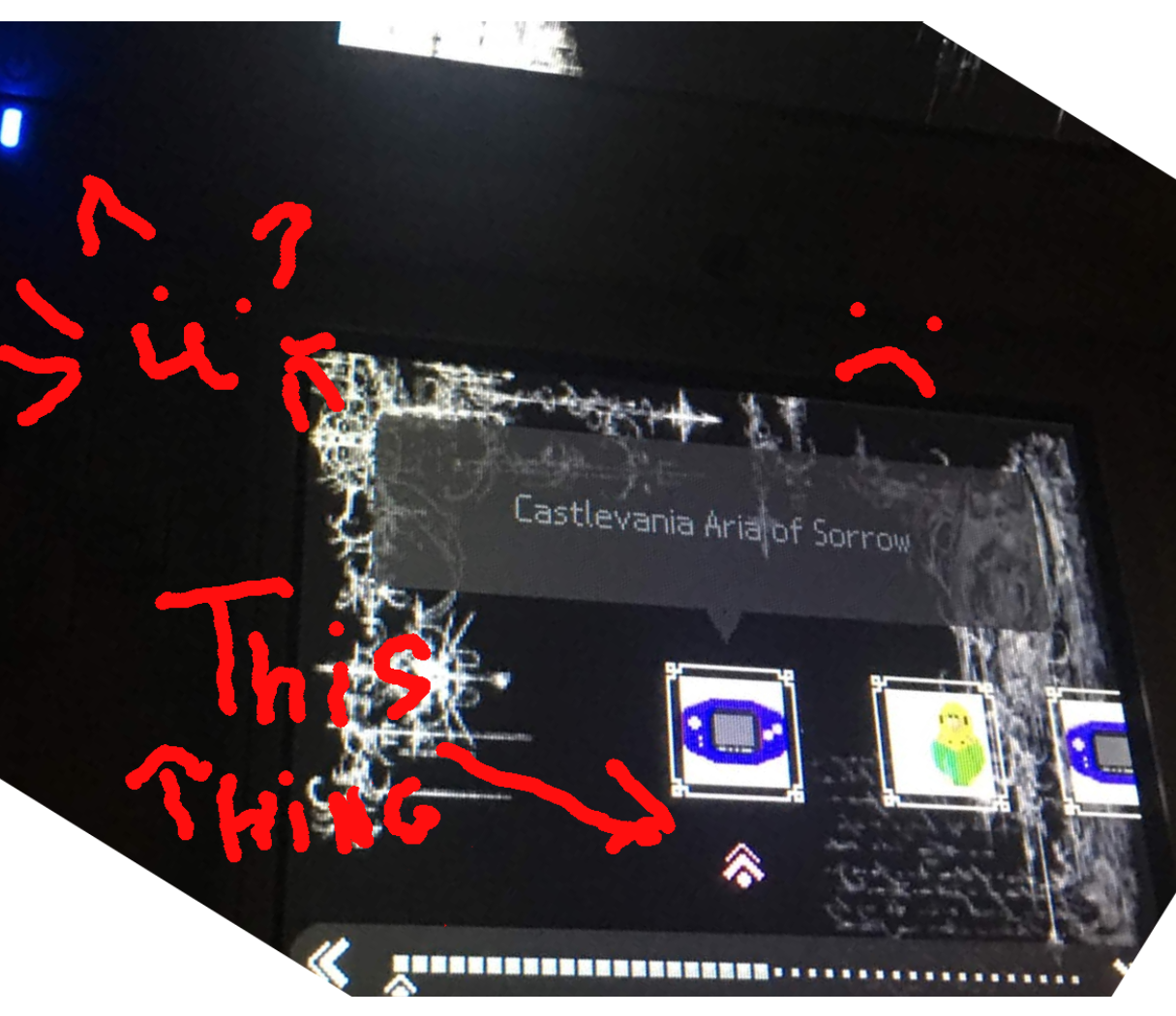
Sometimes the arrow that goes under games it's red or pink or just some other color different to the expected gray
This is because the arrow follows the color you chose in your profile. If you want it to look cool you have to select the first one, as in the image below. (also sorry for the horrible cutting of the image lol)
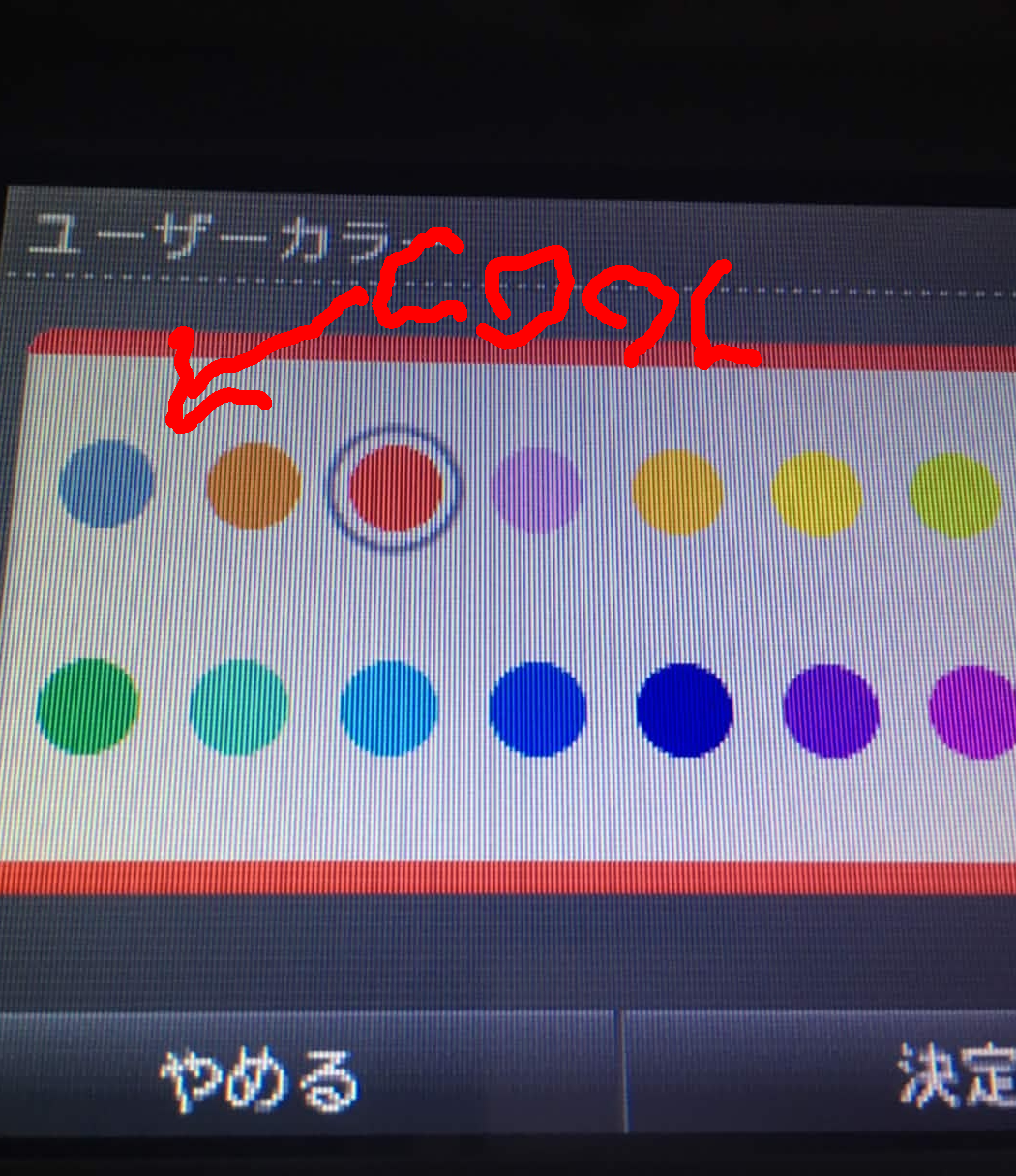
This one fixes it and looks better than the other colors.
Also, I have all my games (nds, gba, gbc, etc…) in the same folder (/nds). With this, I can hide the folders in the twilight menu settings so it looks way more clean with only one folder and everything in it.
In the same twilight config you can also disable the upper screen photo tho I’m pretty sure the theme should do it by default.
So, I recently bought a DS (my very first one ever!) and I’ve been having an absolute blast with it.
I’ve been hooked on Castlevania Aria of Sorrow, and honestly it’s been a while since a video game makes me feel fun. (that its not melee)
While scrolling through Reddit the other day, I stumbled across a post showcasing an Eva theme. As the fanboy I am I immediately slid into the DMs of the op to download it. Indeed it was pretty cool but I didn’t really liked the music and for some reason the previous/next icons on the top screen were showing up doubled.
As the hater that I am (love you Splxtzz), I decided to dig into the files to fix that visual bug and swap the music. Eventually I ended up changing the entire thing.
So, technically speaking, this is an edit of Splxtzz’s original theme, even though I replaced basically everything, so I’m not even sure if it qualifies as an edit or a new thing at this point.
Anyway, I grabbed the background images from Pinterest and did all the edits using Photopea.
I really hope you enjoy the theme! Feel free to modify it and hack away at it as much as you want. If you have any questions, just drop me a message.
Have fun!